
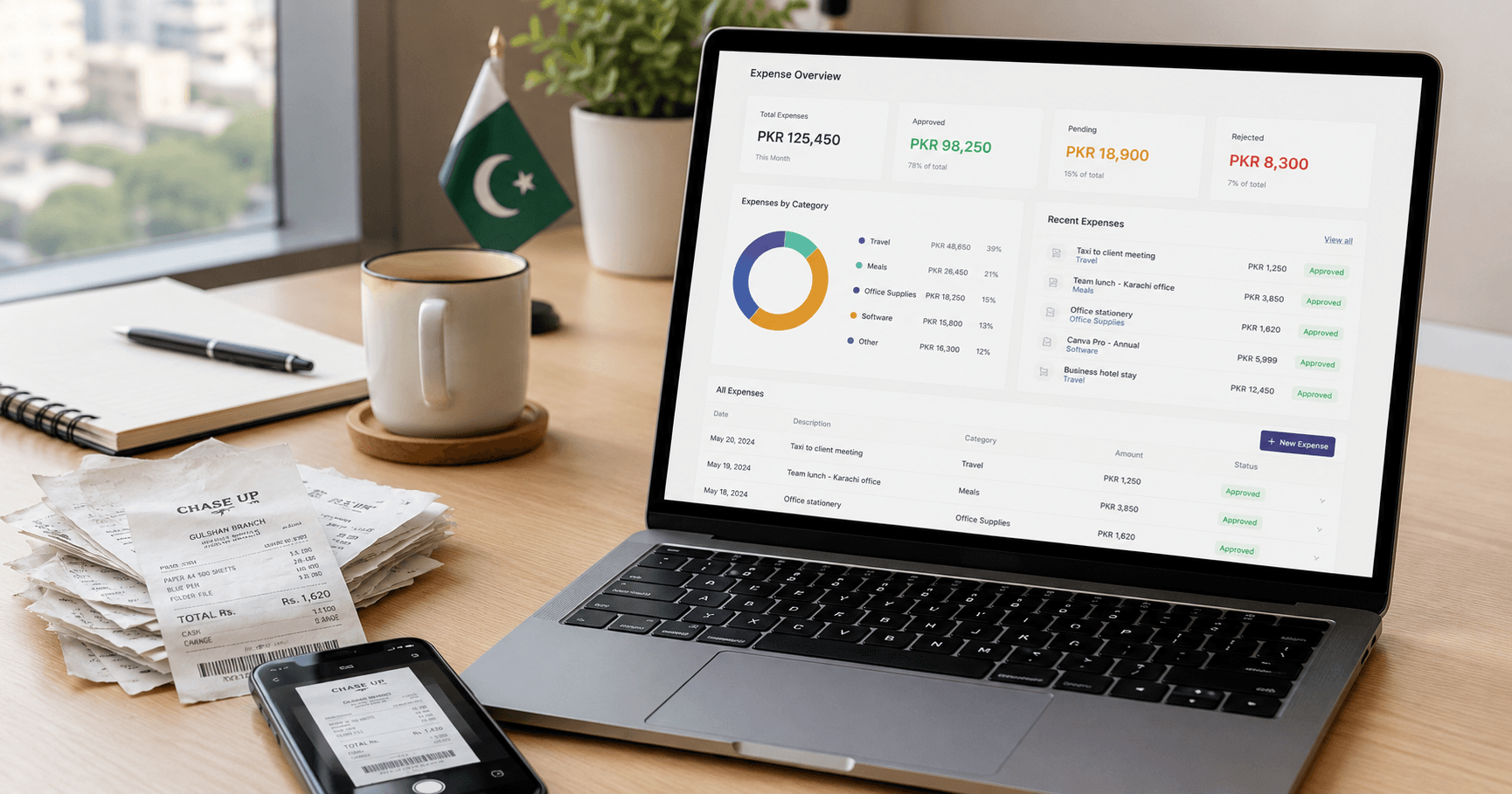
How to Manage Business Expenses in Pakistan: A Practical Guide for SMEs
A step-by-step guide to tracking business expenses for Pakistani SMEs — categories, petty cash, receipts, FBR documentation, and the tools that actually work.
Pakistan's fiscal year ends June 30. Most Pakistani businesses spend the last two weeks of June doing the same thing: digging through folders, WhatsApp groups, and Excel sheets trying to reconstruct where the money actually went.
That's not a June problem. That's an expense management problem that built up over 12 months and finally became impossible to ignore.
Managing business expenses doesn't have to be complicated. But in Pakistan, where cash is still common, receipts disappear fast, and most teams don't have a dedicated finance person, it takes a real system. Not a good intention. An actual system.
This guide covers how to build one.
Why Expense Management is Harder in Pakistan
It's not that Pakistani businesses are careless. The environment just makes it harder.
Cash is still everywhere. A lot of Pakistani vendors don't give receipts. Small purchases get paid from petty cash, the receipt ends up crumpled in a jacket pocket, and by end of month nobody remembers what it was for. Multiply that by 20 employees and you've lost visibility on a meaningful chunk of your costs.
Multiple payment methods, zero consolidation. In a single day, a Pakistani SME might pay a vendor via bank transfer, cover lunch in cash, pay for a SaaS subscription with a credit card, and send an Easypaisa payment to a freelancer. Each one needs to be tracked, categorized, and reconciled. None of them show up in one place automatically.
No bank feed support from Pakistani banks. Tools like QuickBooks pull transactions directly from your bank in the US or UK. Pakistani banks — HBL, UBL, MCB, Meezan — don't support this integration. Every transaction has to be logged manually, which is fine as long as your team actually does it.
Finance teams are small. Most Pakistani SMEs under 100 employees don't have a full-time accountant. The person managing expenses is also handling procurement, HR queries, and the office WhatsApp group. When expense tracking competes with everything else, it usually loses.
The Real Cost of Bad Expense Tracking
Before jumping to the how, it's worth being specific about what messy books actually cost you.
You overpay taxes. If your expense categories are vague or entries are missing, you can't claim deductions you're entitled to. FBR allows you to deduct legitimate business expenses from taxable income — but only if you can prove they happened, prove they were business-related, and categorize them correctly. Sloppy records mean you pay tax on income you already spent.
You get blindsided by cash shortfalls. "I thought we had more" is one of the most common things business owners say before a cash crisis. A clear expense picture shows you what's going out before the bank statement does.
You're weak in an FBR audit. If you're selected for audit and your records are a mix of screenshots, rough totals, and missing receipts, you're negotiating from a weak position. Clean records mean you can answer almost any query within an hour.
Your accountant does data entry instead of advising. A CA billing PKR 30,000 to 50,000 per month should be giving you tax strategy. If they're spending half their hours reconstructing records from WhatsApp threads, you're paying a senior professional to do admin work.
How to Set Up an Expense Management System That Actually Works
Here's what a working system looks like for a Pakistani SME with 10 to 200 employees.
Step 1: Define your expense categories and commit to them
This is the foundation. Inconsistent categories make your reports useless.
A practical starting set for most Pakistani businesses:
- Office Rent — keep separate from maintenance costs
- Utilities — electricity, gas, water (separate from internet)
- Internet and Phone
- Salaries and Wages — log gross amount, track WHT separately
- EOBI Contributions
- Bonuses and Incentives
- Software Subscriptions — SaaS tools, licenses, cloud services
- Professional Fees — accountant, lawyer, consultant
- Marketing and Advertising — digital, print, events
- Travel and Transport — fuel, Uber/Careem, flights, tolls
- Office Supplies and Stationery
- Bank Charges — transfer fees, account maintenance
- Withholding Tax Paid — keep separate so you can reconcile challans at year-end
- Petty Cash Expenses — small miscellaneous purchases under PKR 500
- Equipment Purchases — these are assets, not expenses; depreciate them separately
Set these up once in your accounting system. Share the list with every person who logs expenses. Enforce them.
Step 2: Set a logging rule and actually enforce it
The single most impactful rule you can introduce: every expense must be logged within 48 hours of happening, with a receipt attached.
Not "by end of month." Not "when you get a chance." Within 48 hours.
Why 48 hours? Because that's when the person still remembers the vendor name, what the payment was for, and which project it belongs to. After a week, even they're guessing.
In practice this means:
- Any employee who spends company money logs the expense before end of day
- Receipt attached as a photo — a phone camera is fine
- Category selected and payee filled in
- No log, no reimbursement. Enforce this once and you won't need to enforce it again.
If your team currently emails receipts at month-end, or sends them in a WhatsApp group, that's two people's time on one transaction and the data quality is whatever the typist guessed. Fix the habit first. The tool does the rest.
Step 3: Handle petty cash properly — it's where things fall apart
Petty cash is where expense management breaks down for most Pakistani businesses. The drawer has PKR 20,000 on the 1st. By the 25th there's PKR 2,400 left and nobody is entirely sure where the rest went.
A clean petty cash system has three rules:
Every withdrawal needs a record. Even PKR 150 for chai delivery. Date, amount, purpose, person. No exceptions.
Replenishments are a formal transfer, not an expense. When cash drops below a set threshold — say PKR 5,000 — a request goes to finance, a transfer is made from the main bank account, and that transfer is logged as moving money between accounts. It does not touch your expense total because the money hasn't left the business, it just changed pockets.
Count the cash at month-end. The physical notes in the drawer plus all logged withdrawals should equal the opening balance from the 1st. If they don't, find the gap before you close the month.
In Asaan Hisaab, your petty cash drawer is a separate account just like a bank account. Everything flowing in and out is tracked, and it appears in your monthly balance sheet alongside your bank balances.
Step 4: Build approval into the process
For any expense above a threshold you set — PKR 10,000 is a reasonable starting point — require approval before the money goes out. For reimbursements, require manager sign-off before settling.
This isn't about distrust. It's about catching mistakes before they're final. An expense that gets checked before payment is cleaner than one that gets questioned three months later during a close.
Receipt Documentation: What FBR Actually Wants
This comes up every year, and the answer is simpler than most people expect.
FBR wants to trace every expense claim back to a real transaction. That means:
- A document proving the payment happened — a receipt, invoice, bank transfer confirmation, or petty cash voucher
- The vendor's name (and NTN for significant amounts)
- The amount in PKR (if you paid in USD, show the conversion rate used)
- The date and nature of the expense
For expenses under PKR 500, an internal voucher or logged entry is generally fine. Above that, you want a vendor receipt. For any single expense above PKR 50,000, a proper vendor invoice with their NTN is important to have on file.
Keep all records for 6 years from the date of the relevant tax filing. FBR can audit any year within that window.
Tracking Expenses Across Multiple Accounts
Most Pakistani SMEs don't run on a single account. There's the main current account, a petty cash drawer, sometimes a USD account for client payments, and occasionally the director's personal account that gets used "just this once."
Each of these needs its own tracking, and transfers between them need to be recorded as transfers, not expenses.
The mistake most businesses make: they log a transfer from the main bank to petty cash as an "office expense." That money didn't leave the business — it moved between pockets. Recording it as an expense double-counts the cost in your P&L.
Similarly, when you receive a USD payment from a client and convert it to PKR through the bank, the exchange rate difference needs to be handled cleanly in your books — not ignored or lumped into miscellaneous income.
Asaan Hisaab has a dedicated Transfers page that keeps inter-account movements out of your income statement entirely, and multi-currency support where you define exchange rates per month and all USD entries convert automatically in reports.
For a deeper guide on handling multiple accounts, read Cash vs Bank: Best Practices for Pakistani Multi-Account Setups.
Payroll: Your Biggest Expense Line and the Most FBR-Sensitive
Salaries are almost always the largest single expense for a Pakistani SME, and the most sensitive from an FBR standpoint. A few things to keep clean:
Log gross salary, not take-home pay. The difference between gross and net is the withholding tax you deducted — which you owe FBR separately and need to track.
Log WHT separately. Withholding tax deducted from salaries is a liability you hold until you deposit the challan. Keep a dedicated WHT Payable category so you know exactly how much you owe FBR at any given time.
Log EOBI as its own expense line. Both the employer and employee contributions should be separately trackable.
Keep the bank advice or transfer slip as your receipt. If you pay by cheque, log the cheque number. The paper trail matters here more than anywhere else.
Choosing the Right Tool for the Job
Be honest about what each option actually gives you.
Paper-based tracking works for a solo founder. Falls apart the moment a second person is spending company money.
Excel is a workable starting point. Breaks down when multiple people are editing the same file, when you need mobile logging, or when you try to run a year-end report. We covered the full breakdown in 5 Signs Your Pakistani SME Has Outgrown Excel.
QuickBooks is comprehensive but USD-priced — PKR 10,000 to PKR 68,000 per month — with no native Jul–Jun fiscal year and no Pakistani bank feed support. We did the full breakdown in QuickBooks vs Asaan Hisaab.
Asaan Hisaab was built around how Pakistani SMEs actually work: your team logs expenses on their phones at the moment they happen, multiple bank and cash accounts tracked in one place, PKR and USD handled with monthly exchange rates, period locking so your closed months stay closed, and FBR-ready reports that don't need reformatting. Free to get started, PKR pricing for paid plans.
A Practical Starting Point If You're Setting This Up Now
Here's the sequence that works without overwhelming your team:
- Set up your accounts in Asaan Hisaab — main bank, petty cash, USD account if you have one
- Add your expense categories using the list above as a base
- Add your team members and set roles — employees submit, admins approve
- Send the 48-hour logging rule to everyone with one short message explaining why it exists
- Start logging from the 1st of next month — don't try to backfill 6 months of history
- Do your first monthly close at month-end and lock the period
By month 2 you'll have clean books. By month 4 you'll have a full quarter of clean data — enough to answer any FBR query, produce a real P&L for a bank, or give your CA something useful to work with.
Start Free on Asaan Hisaab
No credit card. 5-minute setup. Built for Pakistani businesses.
Frequently Asked Questions
What is the best way to track business expenses in Pakistan?
The most effective system combines three things: a clear category list your whole team uses, a strict 48-hour logging rule with receipts attached, and a tool that handles multiple accounts and PKR/USD without manual math. For Pakistani SMEs, Asaan Hisaab is built around exactly this workflow — mobile logging, multi-account tracking, period locking, and FBR-ready monthly reports.
Does FBR require receipts for every expense?
For expenses under PKR 500, an internal petty cash voucher or logged entry is generally acceptable. Above that, a vendor receipt or invoice is important to keep. For larger transactions above PKR 50,000, having the vendor's NTN on the invoice is advisable. All records should be kept for 6 years from the date of the relevant tax filing.
How should Pakistani businesses handle petty cash?
Every withdrawal should be logged with amount, date, purpose, and person. Replenishments from the main bank should be recorded as transfers between accounts, not expenses. At month end, count the physical cash and reconcile it against your logged entries. A closing balance that doesn't match your records means there's a missing or duplicate entry somewhere.
Can I track USD and PKR expenses in the same system?
Yes, if your accounting software supports multi-currency. Asaan Hisaab lets you define a monthly exchange rate and converts all USD entries to PKR automatically in reports. This is particularly useful for IT companies, agencies, and exporters that receive USD payments but operate primarily in PKR.
What expense categories should a Pakistani SME use?
A practical starter set: Office Rent, Utilities, Internet and Phone, Salaries and Wages, EOBI Contributions, Software Subscriptions, Professional Fees, Marketing and Advertising, Travel and Transport, Office Supplies, Bank Charges, and Withholding Tax Paid. Capital purchases like laptops and equipment should be treated as assets and depreciated, not expensed in the month of purchase.
How do I record a bank transfer between my own accounts?
Record it as a transfer, not an expense or income. A transfer from your main bank to petty cash is money moving between your own accounts — not a cost to the business. If you record it as an expense, you'll overstate your costs and your P&L will be wrong. Asaan Hisaab has a dedicated Transfers function that keeps these out of your income statement.
What happens if an employee pays a business expense from their personal account?
Log it as an expense with the correct date, category, and payee. Add a note that it was paid personally and is pending reimbursement. When you settle the reimbursement via bank transfer or cash, that payment is a separate entry against the original expense — not a new expense. This keeps your P&L accurate and gives you a clean audit trail.
Do Pakistani banks support automatic transaction import into accounting software?
Not natively. Pakistani banks including HBL, UBL, MCB, and Meezan do not currently support bank feed integrations with accounting tools. Every transaction needs to be logged manually. A mobile app that lets your team log expenses in real time makes this manageable without a dedicated finance team.
Is Asaan Hisaab suitable for IT companies that pay freelancers in USD?
Yes. You can log USD payments as expenses, apply the monthly exchange rate, and have the PKR equivalent appear in your reports automatically. Asaan Hisaab also supports the Jul–Jun fiscal year natively, which matters for Pakistani IT companies that file with FBR on the standard fiscal calendar.
How do I handle salary payments made in cash?
Log the full payroll as a salary expense with employee names and amounts. The cash payment reduces your petty cash or cash-in-hand account balance. Attach a signed payroll sheet as your documentation. Also log the WHT deducted separately as a payable — you'll need the record when you deposit the challan with FBR.